
How to Fix SafetyNet Failed in Android 12: Universal SafetyNet Fix Latest Version
Your device did not pass the SafetyNet check, Right? If so, you can fix SafetyNet in Android 12 with just a simple trick.
As you know, Magisk v24 brings many changes to the App. The SafetyNet Attestation check has been removed, and MagiskHide is retired.
What’s new is the Zygisk in Magisk? Zygisk in Magisk is the ultimate version of MagiskHide and Magisk Modules. To know how to use Zygisk DenyList in Magisk? Then follow the link.
To pass the CTS test in Android 12 and below and fix Universal SafetyNet in Android 12 and below.
How to install Universal SafetyNet in Android 12: Universal SafetyNet Fix Android 12
To Fix SafetyNet failed in Android, you will need the Universal SafetyNet to fix the module. There are two versions of Universal SafetyNet Fix Magisk Modules. One is the Zygisk version, and the other is the Riru version.
Universal SafetyNet Fix Magisk 23. Install latest SafetyNet fix v2.1.3 Riru version. – Riru SafetyNet
SafetyNet Fix v2.1.3 is the last version of the Riru SafetyNet Fix Magisk Module. Now let’s begin the installation process.
Step 1: Download the Last SafetyNet Fix Magisk Module by visiting this GitHub link.
Step 2: After downloading Riru SafetyNet fix v2.1.3, Open Magisk Manager App.
Step 3: Inside Magisk Manager App, Tap on Modules to navigate to Modules Section.
Step 4: Tap on ‘Install From Storage’ in the Modules section of the Magisk Manager App.
Step 5: Navigate to the folder where you have downloaded the Magisk SafetyNet Riru version and select the file.
Step 6: After selecting the file, it takes a few seconds to install. After installation gets completed, Tap on ‘Reboot’ to restart the device for changes to take effect.
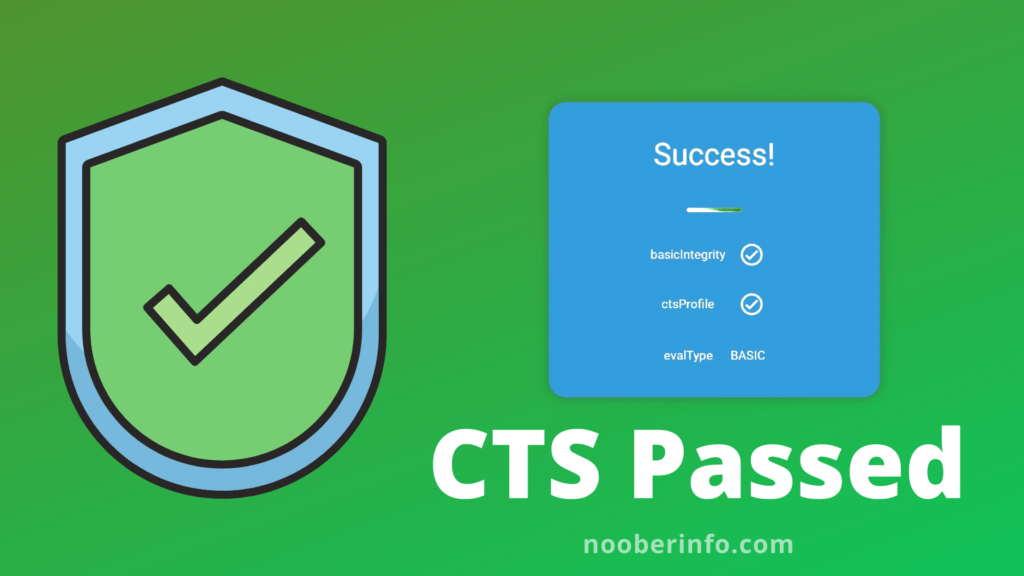
Step 7: Open SafetyNet Checker App and check if your device passes the CTS profile or not.
Universal SafetyNet Fix Magisk 24. Install latest SafetyNet Fix 2.2.1 Zygisk version. – Zygisk SafetyNet
Step 1: Download the Lastest Zygisk SafetyNet Fix Magisk Module by visiting this GitHub link.
Step 2: After downloading Zygisk SafetyNet fix v2.2.1, Open Magisk Manager App.
Step 3: Inside Magisk Manager App, Tap on Modules to navigate to Modules Section.
Step 4: Tap on ‘Install From Storage’ in the Modules section of the Magisk Manager App.
Step 5: Navigate to the folder where you have downloaded the Magisk SafetyNet Zygisk version and select the SafetyNet fix file.
Step 6: After selecting the file, it takes a few seconds to install. After installation gets completed, Tap on ‘Reboot’ to restart the device for changes to take effect.
Step 7: Open SafetyNet Checker App and check if your device passes the CTS profile or not.
If SafetyNet has passed, but Banking Apps or Train Apps are not working, follow the steps below.
Step 8: Open Google PlayStore.
Step 9: Then tap on the Profile picture in the top right corner of the Search Bar.
Step 10: Then, from the drop-down menu, tap on Settings.
Step 11: Inside Settings of Google PlayStore, check for Play Protect Certification. If you see an error that says ‘Device Not Certified,’ you need to ‘Clear Data’.
If you see ‘Device certified’ in PlayStore Settings, you need to install the MagiskHideProps Config Magisk Module file.
Step 12: To Clear Data of PlayStore, Tap and hold on to the PlayStore app icon, then tap on the App info or (i) button.
Step 13: Inside PlayStore App info, tap on ‘Storage and Cache’
Step 14: Inside ‘Storage and Cache’, tap on ‘Clear Data’ It will ask for confirmation, then tap on OK.
Step 15: Now check your PlayStore if the ‘Device is Certified’. I’m sure it should be.
Step 16: Now to install ‘MagiskHideProps Config’ Magisk Module, Open Magisk Manager App.
Step 17: Tap on Magisk Modules Section, Tap on Install from Storage, and at last, select the MagiskHideProps Config file.
Step 18: After installing the Module, Reboot the device.
Now your device should pass CTS Profile, and Banking Apps should be working Fine.
If Banking Apps are still not working, follow the Related article below.

Comments (0)
Syncing authorization...