Noober Info
All Fixesguides and tutorialsAndroidguides and tutorialsAndroid Apps and Gamesguides and tutorialsCustom MODguides and tutorialsCustom ROMguides and tutorialsInformationguides and tutorialsInternet and Webguides and tutorialsMagiskguides and tutorialsPhone Fixesguides and tutorialsRecoverguides and tutorialsSmartphonesguides and tutorialsTech Newsguides and tutorialsWindows Solutionguides and tutorials
Home Blog About Publication Contact Us
TELEGRAM
Articles
Noober Info
EXPLORE
Trending Guides
AI & ROOT Tools
Tech Blog
Author Mode
STAY UPDATED
Push Notifications
Weekly Newsletter
GET MOBILE APP
Download on the App Store
GET IT ON Google Play
Buy me a Coffee
TRY AI GENERATOR
Home
Magisk
Magisk Modules option not showing
March 29, 2022
Follow on Google News

Magisk Modules option not showing

You have updated to the latest Magisk Manager, right? Now you cannot find Magisk Modules repository. But here is the solution for that.

Ujjwal Murmu
Ujjwal Murmu AUTHOR
Global • 3 min read
PUBLISHED March 29, 2022
UPDATED March 29, 2022
LISTEN TO THIS ARTICLE Ready to listen
Magiskcategory guides
Magisk Modules option not showing
Table of Contents
• Major changes to Magisk Manager v24• Magisk Manager Modules option not showing – No Magisk Modules Repository.
Major changes to Magisk Manager v24

Are you searching for Magisk Modules Repository in the Latest Magisk But not available? You should know that there has been a major change to the latest Magisk v24.0 and above.

If you want to know more about Magisk v24.0 changes and new features, view the Related post below.

RELATED ARTICLE

Magisk v24 changes video

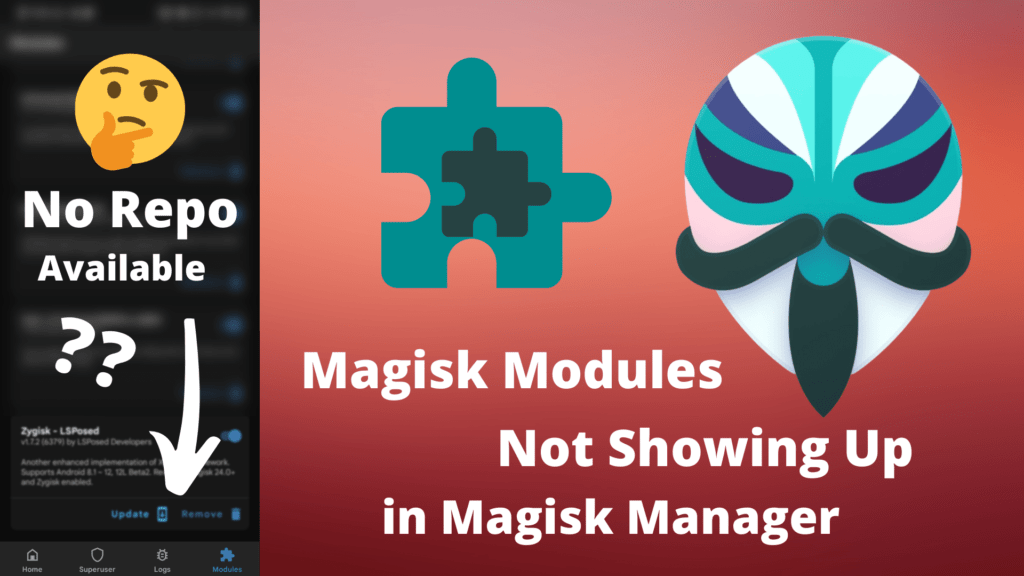
Now coming to Magisk Modules option not showing. Magisk Developer TopJohnWu has removed the repository for Magisk Modules in the latest Magisk Manager.

That’s why you cannot install or download Magisk Modules from the Magisk Manager App anymore.

But some developers have developed Apps to let you download and Install Magisk Modules.

You can also download and install Magisk Modules from GitHub, but you have to find Modules yourselves.

But with the help of these Apps, you can download and install Modules with ease, and there are a bunch of collections of Magisk Modules.

I have also made a video on how you can download and install Magisk Modules from these two Apps.

RELATED ARTICLE

Fix SafetyNet CTS Profile Failed in Android 12 with the latest SafetyNet Fix Magisk Module

Magisk Manager Modules option not showing – No Magisk Modules Repository.

magisk modules repository not available

So I will tell you about two Apps through which you can install Magisk Modules.

  1. Magic Mask Repo: Magic Mask Repo is developed by the popular Xiaomi Tipster Xiaomiui team.

Magic Mask Repo by Xiaomiui Application is available to download from Google PlayStore.

The UI of Magic Mask Repo is very friendly. If you want to install any Magisk Module, first, you have to download from there, then click on install to install the Module.

But the App contains Ads which is to keep in mind. It doesn’t have many, but minimal Ads. So this is what you get for the Modules Repository service.

Magic Mask Repo has the same Magisk Modules available to download that Original Magisk Manager had.

  1. Fox Magisk Module Manager: Fox Magisk Module Manager is developed by Fox2code.

This App also contains Ads just like Magic Mask Repo. It also takes a few seconds to load the Magisk Modules Repository.

But it has way more Magisk Modules available to download than Magic Mask Repo. It has all Magisk Modules, old and new.

The UI of Fox Magisk Module Manager looks outdated, but it does the job very well.

One thing to note is that when you install any Magisk Modules, it directly downloads and installs it, unlike the Magic Mask Repo, where you have to download then it will give you the option to install it.

So these were two Apps that give a collection of Magisk Modules. It is the current replacement for Magisk Manager Magisk Modules.

RELATED ARTICLE

What is Zygisk and how to install it?

If you don’t have Magisk Modules Repository, use these two apps to download and install Magisk Modules.

You can also get the Magisk Module from GitHub Repository.

Magisk Modules Github Repository 1

Magisk Modules Github Repository 2 by Fox2code

If you have any idea about similar kinds of apps, feel free to comment.

Was this article helpful?

Did you like the article, or was it helpful? Let us know your opinion by voting on 'Yes' or 'No'. Provide your feedback as well if you would like!
Ujjwal Murmu

Ujjwal Murmu

Author & Blogger

Passionate Android enthusiast, custom ROM developer, and tech blogger. Helping you unlock your device's potential with advanced guides, troubleshooting tutorials, and rooting walkthroughs.

ENJOYED THIS ARTICLE?

Join our newsletter to get the latest Android guides, rooting tutorials, and custom ROM updates directly in your inbox.

Tags:

Magisk Manager Modules option not showingMagisk Modules option not showingNo Magisk Modules Repository
← PREVIOUS POST BitRAT distributing as a Windows 10 license activator (BEWARE)
NEXT POST → Effect Of Internet Speeds on Various Applications

Comments (0)

Syncing comments authorization state...

Loading comments...

Related Documentation

Universal SafetyNet Fix Android 12: SafetyNet CTS Profile Fix Magisk
April 2, 2022 4 min read

Universal SafetyNet Fix Android 12: SafetyNet CTS Profile Fix

What is Zygisk? How to Enable Zygisk: Zygisk Deny List Magisk
March 8, 2022 4 min read

What is Zygisk? How to Enable Zygisk: Zygisk Deny List

How To Hide Magisk Manager App: Hide Root From Apps Magisk
January 13, 2022 5 min read

How To Hide Magisk Manager App: Hide Root From Apps

nBERinfo

"In-depth guides, custom ROM installation walk-throughs, Android rooting tutorials, and system troubleshooting."

Quick Links

Home Blog About Us Li Nex Neo YT Videos & Reviews Contact Us

Company

About Publication Contact Sitemap RSS Feed Wanna write for us? Guest Posting

Legal

Terms of Service Privacy Policy Cookies Policy DMCA Takedown Disclaimer Affiliate Disclosure

Get in touch

Report Bug / Query
JOIN NOOBERINFO
LOG IN SIGN UP

Copyright © 2026 Noober Info. All Rights Reserved. Developed by Ujjwal Murmu.